AI video creation tools are everywhere right now. New platforms promise to generate stunning visuals from a single prompt, and at first glance it feels like the future has already arrived.
But once people start using these tools, they quickly run into the same limitation.
Most AI video generators only produce very short clips. Five seconds. Maybe six. Then you regenerate again. And again. Eventually you end up with a folder full of disconnected clips that still need to be edited and stitched together.
To be honest, that’s where the process becomes frustrating.
This is the gap AiVideoStitcherFx tries to solve.
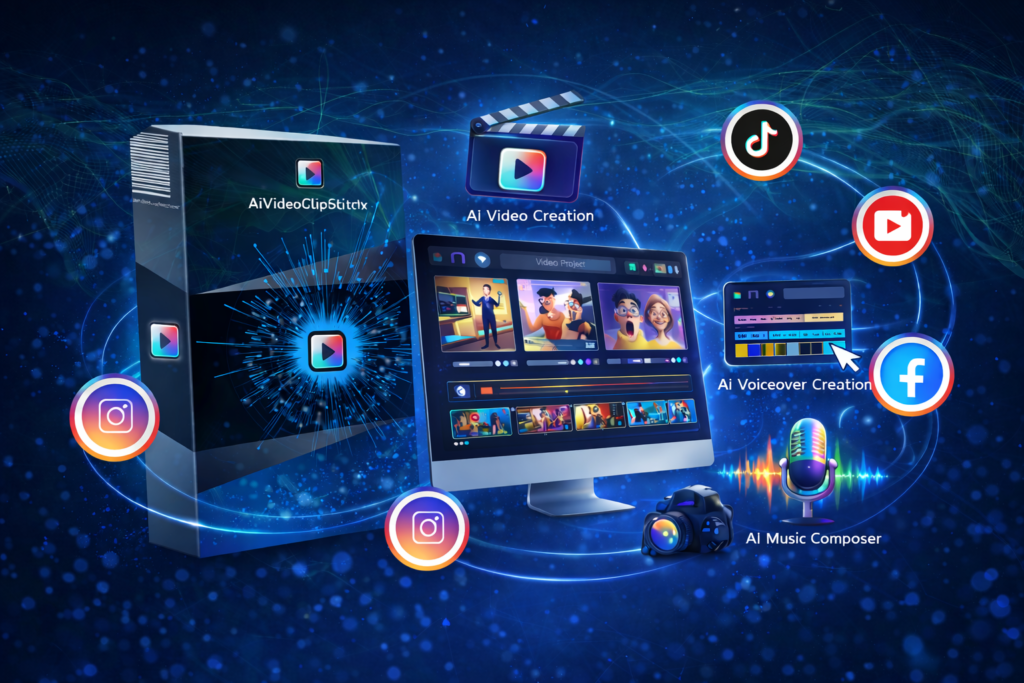
Instead of focusing only on generating clips, AiVideoStitcherFx is designed as a complete AI video production platform. It brings together scene generation, image creation, voiceovers, music, recording tools, and — most importantly — a real timeline editor inside one browser-based workspace.
In simple terms, the platform aims to help users turn ideas into finished videos without switching between multiple tools.
Below we’ll walk through the most important AiVideoStitcherFx features and how they help simplify video creation.
AI Video Generation
At the heart of AiVideoStitcherFx is its AI video generation system.
Users can create visual clips simply by describing what they want to see. The AI interprets the prompt and generates scenes that can be added directly to a project.
For example, a creator might enter prompts such as:
- “Digital marketing explainer animation”
- “Technology product showcase”
- “Motivational social media video”
Within seconds, the system generates scenes that match the concept.
But here’s what most people don’t realize: generating visuals is only the first step in video production. The real challenge is turning those visuals into a structured video.
That’s where the rest of the AiVideoStitcherFx features come into play.
AI Scene Generation
AiVideoStitcherFx allows users to generate structured scenes instead of random clips.
Each scene can contain several elements, including:
- video visuals
- animated graphics
- text layers
- audio components
These scenes can then be arranged on a timeline to build a complete narrative.
Think of it like assembling a movie scene by scene instead of hoping a single clip magically tells the whole story.
This structured approach gives creators more control over how their videos unfold.
AI Script Writing
Another powerful feature is the built-in AI script writer.
Creating videos often starts with an idea, but turning that idea into a script can be challenging. The script writer helps generate outlines and narration based on simple prompts.
For instance, entering a topic can produce:
- a video introduction
- scene descriptions
- narration text
- content structure
Users can then modify and refine the script before generating scenes.
In simple terms, this feature helps remove the “blank page problem” that many creators struggle with.
AI Image Generator
Visual variety is important in video production.
AiVideoStitcherFx includes an AI image generation tool that allows users to create custom visuals based on text prompts.
Instead of searching through stock libraries hoping to find the right image, creators can generate visuals that match their exact concept.
These images can then be added to video scenes or animated within the platform.
For marketers and content creators, this level of creative control can be extremely useful.
Image-to-Video Animation
Static images are useful, but moving visuals capture more attention.
AiVideoStitcherFx includes a feature that converts static images into animated scenes. Motion effects and cinematic transitions can be applied to bring images to life.
This is particularly helpful for:
- explainer videos
- promotional content
- educational videos
By turning images into dynamic scenes, creators can add visual energy without complex editing.
AI Music Composer
Music has a powerful effect on how viewers experience a video.
Instead of searching through large music libraries, AiVideoStitcherFx includes an AI music composer that generates background tracks automatically.
Users can customize elements such as:
- genre
- mood
- tempo
The system then produces a soundtrack tailored to the video.
This feature helps save time and ensures that the music matches the visual tone of the project.
AI Voiceover Generation
Voice narration is essential for many types of videos.
AiVideoStitcherFx includes a built-in AI voiceover generator that converts text scripts into spoken narration.
Creators can use voiceovers for:
- explainer videos
- tutorials
- product demonstrations
- presentations
Instead of recording audio separately, narration can be generated directly within the platform.
This helps streamline the production workflow.
Timeline Video Editing
One of the most important AiVideoStitcherFx features is the timeline video editor.
Most AI video tools stop after generating clips. Users then have to move those clips into another editing program.
AiVideoStitcherFx eliminates that step by allowing users to edit everything inside the platform.
The timeline editor allows creators to:
- trim clips
- rearrange scenes
- adjust audio tracks
- add text overlays
- control pacing
This editing control transforms AI-generated content into a polished video.
Let me explain why that matters.
Without editing tools, AI clips are just fragments. With timeline editing, those fragments become a cohesive story.
Multi-Layer Editing
The platform also supports multi-layer editing, which allows different elements to be stacked on the timeline.
These layers may include:
- video footage
- audio tracks
- subtitles
- graphics
- animations
For example, a creator might place background footage on one layer while narration and captions appear on others.
This flexibility allows users to produce more professional-looking videos.
Screen Recording
AiVideoStitcherFx includes built-in screen recording capabilities.
Users can capture:
- screen activity
- webcam footage
- microphone audio
This feature is ideal for creators who produce:
- tutorials
- walkthrough videos
- product demonstrations
- educational content
Instead of using separate recording software, everything can be done within the same platform.
Stock Media Integration
AiVideoStitcherFx integrates with stock media libraries, giving users access to a wide range of content.
Creators can search for:
- stock videos
- images
- GIFs
- audio clips
These assets can be inserted directly into projects.
This helps expand creative possibilities without leaving the editing environment.
Flexible Video Export
Once the video is complete, AiVideoStitcherFx provides several export options.
Creators can export videos in formats optimized for different platforms, including:
- 16:9 for YouTube
- 9:16 for TikTok or Shorts
- 1:1 for Instagram and Facebook
This flexibility allows one video project to be adapted across multiple social platforms.
Who Can Benefit From These Features?
AiVideoStitcherFx is designed for a wide range of users who rely on video content.
Content Creators
Social media creators constantly need fresh videos. AI tools can significantly speed up the production process.
Digital Marketers
Marketing campaigns often require multiple video variations for ads, landing pages, and promotions.
Freelancers and Agencies
Video services are in high demand. AI tools help freelancers deliver projects faster while maintaining quality.
Educators
Online instructors and course creators can combine screen recordings, animations, and narration to create engaging lessons.
Small Businesses
Businesses with limited budgets can produce professional-looking marketing videos without hiring expensive production teams.
Final Thoughts
AI video creation is evolving quickly, and tools like AiVideoStitcherFx highlight where the technology is heading.
Instead of simply generating short clips, the platform focuses on helping users create complete videos from start to finish.
By combining AI generation with editing tools and media resources, AiVideoStitcherFx offers a workflow designed to simplify video production.
For creators, marketers, freelancers, and businesses, that integrated approach can make producing video content faster and more accessible.
If you’re curious about how the system works, the best way to understand it is to explore the platform directly.